Quest Meridian does not host modified packages, premium unlocks, patched saves, ad bypasses, signature workarounds or installation passwords.
Fast answer
The answer before the background
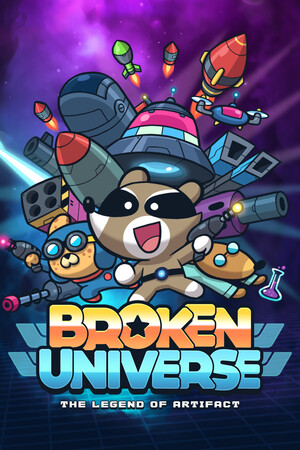
The official Android edition is package com.jinthreestudio.brokenuniverse on Google Play under Jinthree Studio. A mod APK is an altered or re-signed package outside that release path, even when it copies the correct name and screenshots. It may change ads, purchases, energy, rewards, saves or permissions and can fall behind the current build. Install from Google Play; iPhone and iPad use a separate Apple app, while Steam, Switch and Xbox are not APK products.
Package card
Match platform, store and identifier
| Check | Official Android | Other editions |
|---|---|---|
| Store | Google Play | Apple App Store, Steam, Nintendo eShop or Xbox Store. |
| Identifier | com.jinthreestudio.brokenuniverse | Apple app ID 1662123399; store-specific desktop/console IDs. |
| Publisher label | Jinthree Studio | Jinthree Studio or RedDeer.Games depending on platform. |
| Business model | Contains ads and in-app purchases | Steam is a paid PC product; console terms differ. |
| Update path | Google Play signing and account | The store that sold or installed that edition. |
Modification risk
A copied package name does not preserve trust
A third party can reuse the public package name while replacing code, signing the file with another key or bundling a downloader. That breaks the evidence linking the app to Google Play. It can also interfere with the next official update or make a local save disagree with purchases and progression.
Promises such as unlimited diamonds deserve an additional check because the official store description does not define one universal diamond balance. A mod page that cannot name the current resource, version and edition is advertising a generic fantasy rather than a verified feature.
Red flags
Stop before granting access
- Installation requires disabling Play Protect or accepting an unrelated device administrator.
- The version cannot be matched to Google Play and the developer's official support information.
- A password, survey, payment card or separate installer is required to unlock the promised file.
- The page claims one APK also runs on iOS, Steam, Nintendo or Xbox.
- Unlimited purchases, energy or resources are promised without a legitimate store transaction or reward rule.
Clean return
Recover without overwriting the only good save
Record the account, version and visible progression, then remove the modified app and helper. Run the normal security scan, reinstall from Google Play and confirm the package and publisher before signing in. Compare the restored state before spending or upgrading.
If a legitimate purchase is missing, use the Google account's order history and developer support address. On Apple, use the App Store purchase record. Do not reinstall multiple unrelated packages because repeated save synchronization can make recovery harder.
FAQ
Common questions
What is the official Android package?
Google Play identifies it as com.jinthreestudio.brokenuniverse under Jinthree Studio.
Is the iPhone version an APK?
No. Apple distributes a separate iPhone and iPad app under app ID 1662123399.
Why can a modified package stop updating?
Its signature, files, purchases or save state may not match the next Google Play release.
How do I restore a legitimate mobile purchase?
Check the relevant Google or Apple purchase history, keep the receipt, reinstall the official app and use the store or developer support path.
Sources
What we checked
Official listings establish current availability and product facts. Community pages are used for mechanics and build history, then labeled separately.
- OfficialOfficial Google Play package listing
- OfficialOfficial Apple app listing
- OfficialGoogle Play Protect help
- OfficialApple purchase-history help