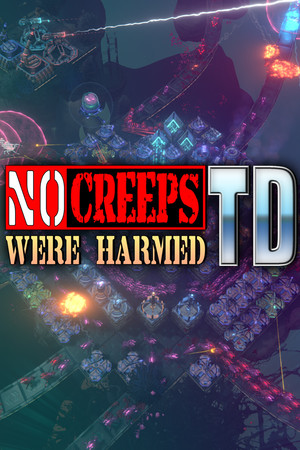
No trainer, executable, cracked download, hacked package, memory address, save editor, key, or leaderboard bypass is provided.
Fast answer
The answer before the background
A trainer for this game is not an official MinMax Games feature. The supported Windows release is delivered through Steam and includes Steam Cloud, achievements, online co-op and leaderboards. A trainer or cracked executable can change process memory, saves, scores or game files outside that trust path, and an advertised hacked APK is a platform mismatch because no official Android edition is listed. Use the clean Steam build; this page provides no tool or file.
Identity check
Know which file belongs to the supported product
| Item | Official status | Evidence to require |
|---|---|---|
| Steam installation | Official | App 1932260, MinMax Games Ltd., Windows library entry. |
| Steam Cloud save | Official feature | The store feature list and synchronized account state. |
| Trainer executable | Third-party | No official listing; do not infer safety from a matching icon. |
| Cracked download | Unauthorized copy | Cannot inherit the publisher signature or support path. |
| Hacked APK | Wrong platform format | The store lists Windows, not Android. |
Failure modes
The visible number is only one part of the state
This game stores more than Cred. Maps, difficulty progress, XP, artifacts, stash choices, achievements, scores and settings can interact with Steam Cloud and the backup-save system. A process editor may appear to change a value while leaving an impossible relationship between those systems. The next load, update or synchronization can then restore, reject or propagate the wrong state.
Online co-op and leaderboards add another boundary. A tool created for a private single-player test is not automatically isolated once the client reports progress or score. Even without an account sanction, corrupted results make future strategy testing and support diagnosis less trustworthy.
Clean recovery
Return to a known official state
- Close the game and remove the trainer, injector, cracked executable and any unknown installer.
- Run Windows Security or the normal trusted scanner; do not disable protection to keep a download working.
- Preserve a copy of the current save and note the Steam Cloud timestamp before choosing which state should win.
- Use Steam's Verify integrity of game files function, then launch the clean build without the helper.
- Check maps, artifacts, achievements and settings before entering co-op or submitting another leaderboard score.
Supported alternative
Fix the reason the trainer was requested
For a Cred shortage, reduce redundant structures and compare final Cred after upkeep. For a hard map, reshape the route so strong coverage is reused, park Brian-Jar deliberately and change one tower job at a time. For persistent power, use map completion, endless mode, artifacts and documented Essence rerolls.
These steps preserve the version, save and performance evidence needed to improve. They also keep the installation in a state MinMax Games and Steam can recognize if a genuine bug, cloud conflict or purchase problem occurs.
FAQ
Common questions
Does the developer provide an official trainer?
No. The current official Steam pages do not list a trainer, debug executable or memory-editing feature.
Is a hacked APK valid for this game?
No official Android edition is listed. An APK using the game's name is not the supported Windows Steam product.
Can verifying files repair every save?
No. It repairs installed game files, not every edited or overwritten save. Review cloud and backup timestamps before choosing a recovery state.
What should I check after recovery?
Confirm maps, XP, artifacts, stash, achievements, settings and the current Steam version before using co-op or leaderboards again.
Sources
What we checked
Official listings establish current availability and product facts. Community pages are used for mechanics and build history, then labeled separately.