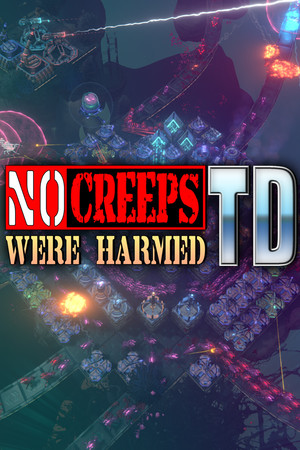
Quest Meridian does not host APKs, patched Windows builds, emulators with bundled files, passwords, Steam keys, or instructions for bypassing the paid license.
Fast answer
The answer before the background
Searches for a mod APK do not point to an official product. The verified release is a paid Windows PC game from MinMax Games Ltd. on Steam, and the store does not list Android, Google Play, iPhone, iPad or an APK package. A file with an Android extension is therefore a repackaged or unrelated download, not a mobile edition of the Steam game. Do not install it or enter Steam credentials into its launcher.
Platform fact
APK is not the format of the official release
| Check | Official product | APK claim |
|---|---|---|
| Platform | Windows PC | Android package format. |
| Store | Steam app 1932260 | No matching official Google Play listing is supplied. |
| Developer and publisher | MinMax Games Ltd. | A filename or copied logo proves nothing. |
| License | Steam purchase or legitimate Steam activation | A free patched package cannot replace account ownership. |
| Features | Steam Cloud, achievements, leaderboards and online co-op | A repack cannot promise compatibility with these services. |
Why the claim spreads
Search wording can exist without a real mobile edition
Generic download pages combine popular game names with mod APK, unlimited coins or free diamonds whether those products and currencies exist or not. Here the mismatch is visible: the official game uses Cred and artifacts on Windows, while the download promise uses Android packaging and mobile-store resource language.
An emulator does not solve that mismatch because there is no official Android app to emulate. A site may instead bundle an unrelated game, remote desktop client, downloader or Windows files inside a misleading flow. None becomes a MinMax Games release because it displays Steam screenshots.
Red flags
Reject the download before installation
- The page cannot link to Steam app 1932260 as the exact licensed product.
- It promises Android support although the official requirements list Windows and DirectX 11.
- It advertises coins, gems or diamonds instead of the game's Cred, XP, artifacts and Essence terms.
- It asks for a Steam password, survey, payment verification or security-disable step.
- Its version number, developer identity or change log cannot be matched to official MinMax Games news.
Safe path
Use the real PC product and verify the machine
Purchase or activate a legitimate Steam license, install through the Steam client and confirm the developer and app identity before launching. If an APK or helper was already downloaded, remove it, run the normal security scan and change credentials only through the official Steam account flow if they were exposed.
After reinstalling the Windows game, inspect Steam Cloud and backup saves before replacing either one. Then verify maps, artifacts and settings offline from untrusted tools. Do not return to co-op or leaderboards until the state is understandable.
FAQ
Common questions
Is there an official Android APK for the game?
No official Android or Google Play edition is listed. The verified product is the Windows Steam release.
Can I run the game in an Android emulator?
An emulator requires a real Android app, and the developer does not list one. Use the official Windows version instead.
Why do APK pages mention unlimited diamonds?
They commonly reuse mobile-game wording. Diamonds are not documented as a resource in the official game information checked.
What if I already installed a suspicious package?
Remove it, scan the device, protect any exposed credentials, and reinstall only through Steam before reviewing cloud and backup saves.
Sources
What we checked
Official listings establish current availability and product facts. Community pages are used for mechanics and build history, then labeled separately.
- OfficialOfficial Windows Steam listing
- OfficialOfficial MinMax Games update history
- OfficialMicrosoft unwanted-software protection
- OfficialSteam file-integrity help