Fast answer
The answer before the background
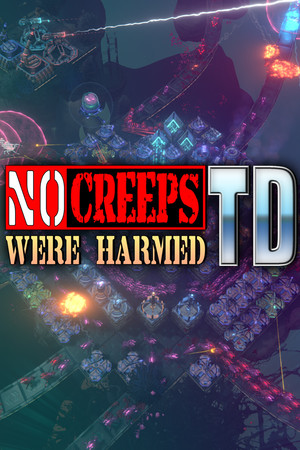
The official PC version of No Creeps Were Harmed TD is sold on Steam for Windows. The simplest route is to buy it directly on the MinMax Games store page in Steam; a legitimate retail or digital Steam key can also be activated through Games > Activate a Product on Steam. A key is a license token, not the game installer, and an invalid, duplicate, region-restricted or already-redeemed code must be resolved with the seller. There is no official free-key generator.
Official access
Match the license, account and installer
| Route | What you receive | What to verify |
|---|---|---|
| Direct Steam purchase | License attached to the purchasing account | Correct app, developer, price and account. |
| Legitimate retailer key | Code intended for Steam registration | Platform, region, product name and seller receipt. |
| Steam activation | The code is registered to the signed-in account | Use the Steam client or official browser activation page. |
| Installer | Downloaded after the license is in the library | The Steam client provides the supported files. |
| Key generator | No documented license relationship | Do not download software or submit credentials. |
PC requirements
Plan for the current Steam client, not an old label
The store lists a 64-bit processor, DirectX 11, 2 GB of video memory and 1 GB of storage. Its historical minimum text names Windows 7/8/10, but Steam also notes that its client supports Windows 10 and later from January 2024. A current buyer should therefore plan around a supported modern Windows installation rather than using the old operating-system line as a promise.
Steam lists single-player, online co-op, achievements, Cloud, leaderboards and Family Sharing. Those features depend on the Steam account and client path. Copying an executable to another PC does not transfer ownership, Cloud state or the supported online environment.
Key problems
Resolve the exact error without exposing the code
- Confirm that the email or packaging explicitly says the code activates on Steam.
- Check the product and region before redemption; do not post the key in a forum or screenshot.
- For invalid or duplicate errors, preserve the receipt and contact the retailer that supplied the code.
- If the game is missing after activation, confirm the signed-in Steam account and library filters.
- Use Steam's own refund process for an eligible direct purchase; a third-party seller controls its own key refund terms.
Edition decision
Know what the Windows purchase includes
The game left Early Access for version 1.0 on July 27, 2024. Official update 1.3.0 later raised the map count to 75. The purchase is therefore not an unfinished demo key, although balance and content can still receive updates. Check the current store language, features and price at the moment of purchase.
There is no official Mac, Linux, mobile or console edition listed on the product page checked. Family Sharing and online co-op are Steam features, not evidence that one key can be simultaneously redeemed by several unrelated accounts. Buy for the account that should own the license.
FAQ
Common questions
Where can I buy a legitimate key for the game?
The lowest-risk option is the official Steam page. If using another retailer, verify that the receipt explicitly supplies a Steam code for the correct product and region.
How do I activate the key?
Sign in to the Steam client, open the Games menu, select Activate a Product on Steam, and follow the official instructions.
Does a key include a standalone installer?
No. After activation the Steam client adds the license to the account and provides the supported download.
Is the game available on Mac or Linux?
The current official product page lists Windows only. Do not infer another native platform from unofficial compatibility reports.
Sources
What we checked
Official listings establish current availability and product facts. Community pages are used for mechanics and build history, then labeled separately.
- OfficialOfficial Steam store and system requirements
- OfficialSteam product activation help
- OfficialSteam retail and digital key help
- OfficialSteam refund policy
- OfficialOfficial release and update history